English
 日本語
日本語
 한국어
한국어
 简体中文
简体中文
 繁體中文
繁體中文
 Italiano
 español
 Deutsch
 Русский

Description
🎚️ Lesson Title: Overview of Digital Audio Workstations (DAWs)
Lesson Description:
This lesson provides a complete introduction to Digital Audio Workstations (DAWs) the core software used in modern music production. Students will gain a deep understanding of what DAWs are, how they function, and why they are essential tools for creating, recording, and editing music.
The session focuses primarily on FL Studio, but also introduces other popular DAWs such as Ableton Live, Logic Pro, and Cubase, helping students understand the similarities and differences between them.
What Students Will Learn:
-
The concept and purpose of a DAW in music production
-
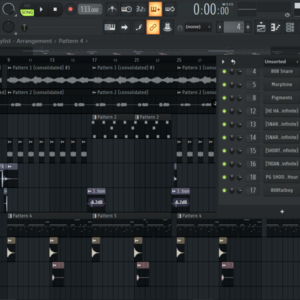
The main components of a DAW: playlist, mixer, channel rack, and piano roll
-
How audio and MIDI work inside a DAW
-
How to set up a DAW for the first time (audio settings, loading plugins, saving projects)
-
Workflow tips to stay organized while producing
-
Understanding VSTs, effects, and sample management
Practical Task:
Students will explore FL Studio’s interface and create a simple project loading sounds, arranging a short loop, and applying basic effects to gain real-world experience in digital music production.
Lesson Goal:
By the end of this lesson, students will confidently navigate any DAW, understand its main features, and be prepared to start creating their own beats and songs from scratch.
Recommended Level:
Beginners and aspiring producers looking to understand the foundation of digital music creation.
© Use of copyrighted material during lessons
Cafetalk's cancellation policy
Before request is confirmed (fixed)
- Cancellation possible at any time without charge.
After request is confirmed (fixed)
- More than 24 hours before lesson start time.→ Cancellation is possible at any time.
- Less than 24 hours before lesson start time.→ The tutor may take a cancellation fee.
-
No-Show→ The tutor may take a cancellation fee.
(Please check with the tutor for details.)
Lessons by this tutor
 All Lessons
-
Rhythm & Drums
Time signature & tempo (BPM) Understand rhythm and drum patterns, creating basic drum patterns Building basic trap, pop, and afro drum grooves. Loading in sounds.Percussion
 40min 2,500PHas Trial
 -
Piano Roll
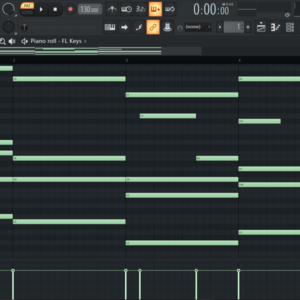
How to navigate use and apply the power of the piano roll to create unique patterns. uses of options in piano roll. sound editing.Others (Music)
50min 2,500PHas Trial -